NBN connection timeframes: How long does it really take?
Published September 17, 2026
Building or relocating to a new home is an exciting milestone, but getting your utilities sorted early is key to a smooth transition. Before moving in, it is essential to arrange your home internet. Understanding NBN connection timeframes will help you plan ahead and avoid unexpected delays.
The million-dollar question here is, how long does it take? the time you’ll need to connect your broadband connection in your new home will depend either on your new NBN installation, technology availability, or simply switching providers.
If your house is already NBN-enabled, then you will need about ten days for installation if a technician is needed or just 15 mins if you have BYO Modem and there is no additional installation required.
Switching providers may take only 15 minutes, however, it all really depends on your connection.
Are You NBN-ready? Waiting time for connection according to technology type
There are seven unique connection types and they connect to the network in their own ways. Some make use of more copper while others use wireless or satellite connection. Of interest here is the fact that you have no choice concerning the technology type – the government has already chosen it for you.
Some technologies need different installations, which may involve the presence of the technician, thus increasing your waiting time.
In cases where the installation has been done before by your new home or when it involves FTTB connections where the NBN technician only needs to install the hardware in a centralized point, you will have shorter waiting time. On the other hand, Fixed Wireless NBN connection and Sky Muster satellite installations have longer waiting time.
Internet Service Providers provide the connection to NBN technology hardware while NBN is in charge of the infrastructure. How long it takes will depend on the availability of NBN technicians registered.
FTTP homes
For FTTP homes, where installation is not complete, the NBN tech may need to do the work. This process can take up to three weeks.
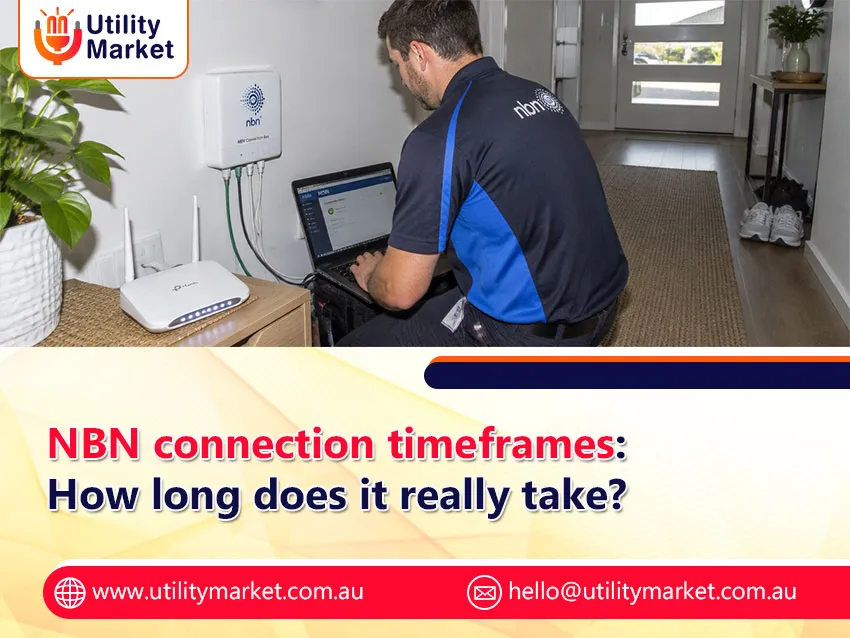
If NBN tech visits are needed, then NBN boxes would be installed inside and outside of the premises in a few hours.
Inside the house, the NBN box works as a modem and connects to either a router or a ‘bridge mode’ router-modem. If the NBN equipment is already installed, then connection will take from one to two business days.
HFC Homes
An HFC connection may be self-installed or by an NBN installer. An installation process typically takes 2 to 4 hours; however, some installations may take up to 8 hours.
Once installed, connect a router to the NBN connection box. If a provider sends a router, then this should come pre configured. Otherwise, you may visit a provider’s website or contact their support to get information on how to configure your router.
FTTN/FTTB Homes
Both FTTN and FTTB are similar technologies that use a VDSL2-compatible modem-router to connect to the NBN service. If you do not have a compatible model, you may inquire with your provider.
The modem-router will require both electricity and telephone cable connection to the wall socket similar to FTTC technology. The difference is that no separate router is required, while devices may be connected using Ethernet or Wi-Fi.
Free Fibre Upgrade
As long as your house connects to the NBN through FTTN or FTTC connections, you are entitled to a free fibre upgrade to FTTP. This will help boost the speed and performance of the internet connection in your house. More information on this can be found in our guide to the free fibre upgrade.
Wireless Home Technology
Unlike regular broadband connections, wireless broadband in the home operates through mobile networks and not cables. All you need to do is unpack the modem and plug it in to join the network right away, whether it’s 4G or 5G technology.
Moving to a house that has NBN
Have to move into a house which already has NBN? Then here are the ways you could connect to the Internet:
- Transfer your NBN plan: Reach out to your service provider to transfer your NBN plan to your new address. The people from the provider will transfer your services to your phone and Internet.
- Get a new NBN plan: You may opt for getting a new plan either with your current provider or a different provider. Compare the plans to decide what would suit you the most and place an order for switching providers if needed.
Before choosing a new service, you can compare NBN plans in Australia to find an option that suits your speed, usage and budget.
Time to switch providers
Changing internet providers is simple, though exact NBN connection timeframes depend on your current technology. If you are retaining the same connection type, transferring your service typically takes just 15 minutes with zero downtime. However, if your switch involves changing connection types or installing new hardware, setup may follow standard NBN connection timelines of up to 10 business days.
Get Connected Today
Now that you know how long it will take, your next move is to get in touch with Utility Market Team who will assist you in getting connected to your chosen broadband provider.
For reliable information on NBN connection timeframes, turn to Utility Market for helpful broadband guides and comparisons.